
Bluey: Let's Play!
Budge StudiosCasual
4.35.61K Reviews
- Version
- 2026.14.0
- Installs
- 50.00M
- Age Rating
- Everyone
Screenshots
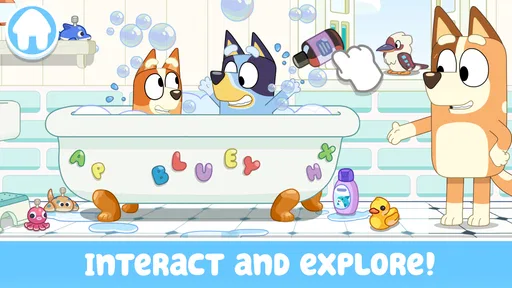
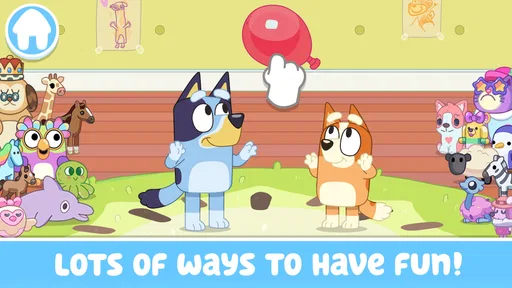
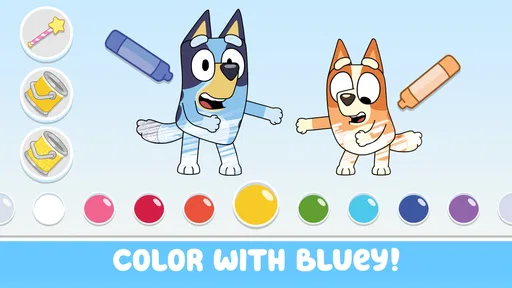
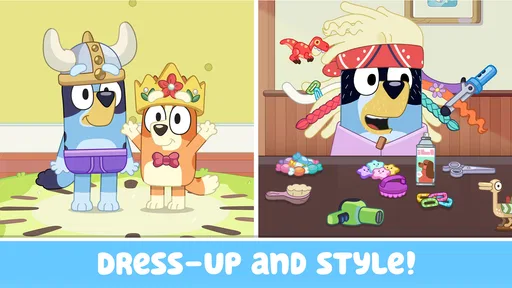
Our Review of Bluey: Let's Play!
 Analysis by Appyee
Have you ever wondered what it would be like to step into the adorable and whimsical world of Bluey? Well, wonder no more! Bluey: Let's Play! is here to bring the magic of the beloved TV series right to your smartphone or tablet. I recently had the chance to dive into this delightful app, and I’m here to give you the full scoop.
Why this kind of play suits certain moments
I’d reach for this casual game when a child wants familiar characters and room to explore, rather than a demanding challenge with levels to beat. Its appeal is less about mastering a system and more about spending a little time inside a recognizable family world. That makes it a natural fit for a quiet stretch at home, a short break between activities, or a shared turn with an adult nearby.
For example, on a rainy afternoon, a parent could let a child choose what to explore, then ask them to describe what they made or noticed. That turns the screen time into a conversation without requiring the adult to direct every tap. It also helps set a useful expectation: this is a playful digital space, not a substitute for the open-ended physical play that children can invent with toys, drawing materials, or each other.
The game is made by Budge Studios and is rated Everyone. It is free to start, with optional in-app purchases listed at $2.99 to $6.99 per item, so I’d check the purchase settings on the device before handing it over. That small bit of preparation matters more than it might in a paid-up-front game: a child can enjoy the free experience, but the presence of purchases means an adult should be ready to manage requests and expectations.
Getting Started with Bluey: Let's Play!
Right off the bat, installing Bluey: Let's Play! was a breeze. Available on both Android and iOS, you can find it on the Google Play Store and Apple App Store. Once installed, you're greeted with a vibrant and engaging welcome screen that gives you a warm invitation to jump into Bluey’s world.
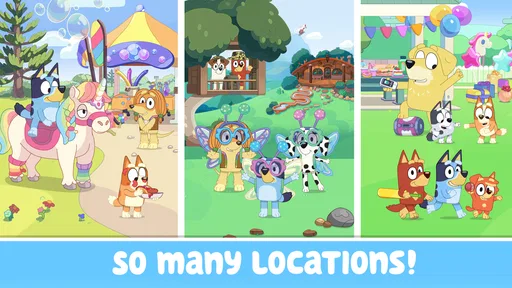
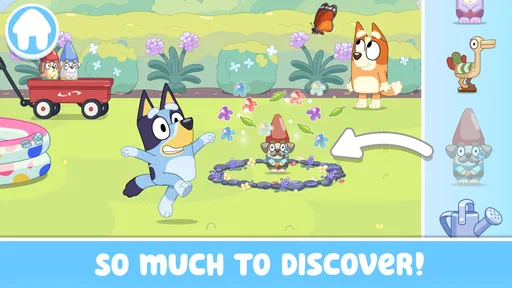
The interface is as charming as you’d expect, with bright colors and playful graphics that capture the essence of the show. Navigation is intuitive, making it easy for kids (and adults!) to find their way around the app without any hassle. Whether you’re a seasoned gamer or new to the world of apps, you’ll feel right at home.
A World of Play and Learning
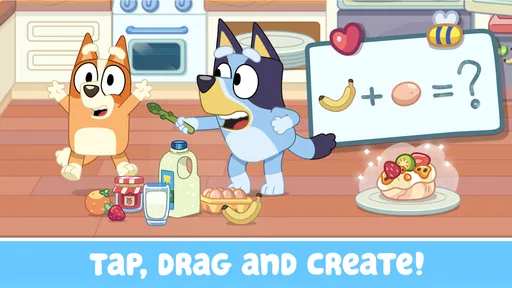
One of the standout features of this app is how it seamlessly blends play and education. Each activity is designed to engage young minds while also teaching valuable skills. From problem-solving to creativity, the games encourage children to learn through play, which is a win-win in my book.
The activities are diverse, catering to a range of interests and age groups. Whether your little one is into art, music, or puzzles, there’s something for everyone. I personally loved the "Magic Xylophone" game, which lets kids create their own tunes while learning about music.
Making room for child-led play
One practical way to get more from these activities is to resist turning each one into a lesson. If a child is making music, let them experiment before asking what they think the sounds might fit; if they move on quickly, that is useful information too. The strongest use here is often a short burst of self-directed curiosity, not a parent trying to extract a measurable result from every interaction.
That also gives caregivers a simple way to judge whether the game is holding a particular child’s attention. Watch what they choose without prompting: a child who returns to one kind of activity may prefer repetition, while another may enjoy sampling different options. I wouldn’t assume every activity will suit every child just because the game offers variety. The best approach is to let their interest, rather than the app’s menu, guide the session.
Character Interactions and Customization
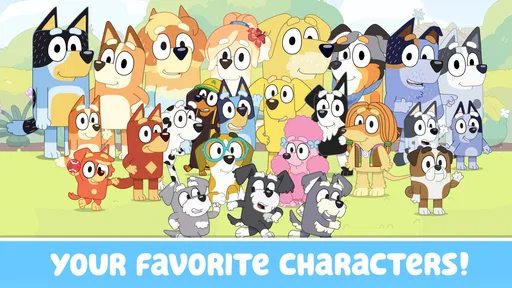
Another feature that I found particularly engaging is the ability to interact with the beloved characters from the series. Bluey, Bingo, and their friends are all here, ready to join in the fun. The character animations are smooth and lifelike, bringing the charm of the show to life.
Moreover, the app offers customization options that let kids express their creativity. From designing their own game avatars to decorating virtual spaces, the possibilities are endless. It's a fantastic way for children to explore their artistic side while having fun.
Where it sits among casual games
Compared with a puzzle game built around scores, timers, or increasingly tricky stages, this is a gentler choice. It favors familiarity, character-led play, and creative exploration over a clear win-or-lose loop. That can be a strength for a child who finds competitive goals frustrating, but it may feel loose to someone who wants a defined task, visible progression, or a challenge that steadily gets harder.
It also occupies a different space from a general drawing or music app. The Bluey setting gives children a recognizable context for play, which can make it easier to get started, while a dedicated creative tool may offer more focused options for making art or music. If the goal is simply to draw freely or learn an instrument in depth, I’d choose a specialist app; if the child is drawn to the characters and wants a mix of playful activities, this is the more fitting option.
Parental Controls and Safety
As a parent, safety is always a top concern when it comes to apps for kids. Bluey: Let's Play! doesn’t disappoint in this area. The developers have included robust parental controls that allow you to manage playtime and ensure a safe environment for your child. Plus, there are no in-app purchases or ads, which means no unexpected surprises.
The app also provides detailed progress reports, allowing parents to track their child’s development and learning milestones. It's a thoughtful touch that adds peace of mind and helps you stay involved in your child’s learning journey.
What to check before passing over the device
Because the game includes optional purchases, I’d treat the first session as a chance to agree on a simple rule: the child can explore what is available, but any purchase needs an adult’s decision. The game is free to download, yet that should not be confused with every possible item being included at no cost. This is especially worth explaining to younger children, who may not distinguish between a game’s regular play and a purchase prompt.
I’d also keep expectations modest around the learning side. Creative play can invite experimentation, but I wouldn’t use the game as a formal teaching tool or expect it to report meaningful development in a way that replaces a caregiver’s own observation. A parent can learn more by watching how a child approaches a choice, handles repetition, or invents a story than by treating screen activity as a milestone tracker.
For device compatibility, the game’s current version is 2026.1.0 and it requires Android 5.1 or later on Android devices. It has been available since August 13, 2023, and has reached over 50 million installs. Those figures suggest it is a familiar option for many families, though popularity alone cannot tell you whether its style will suit your child. Its average rating is 4.3 from around 182,000 ratings, with roughly 4,600 written reviews, which gives prospective users a broad snapshot rather than a guarantee of a perfect fit.
Final Thoughts
In conclusion, Bluey: Let's Play! is a delightful app that captures the heart and soul of the beloved TV series. It’s a perfect blend of fun and education, offering hours of entertainment for kids while ensuring they learn valuable skills along the way. From the engaging activities to the charming character interactions, it’s a must-have for any fan of the show.
If you’re looking for an app that will keep your kids entertained and engaged, look no further. Download Bluey: Let's Play! today and watch as your children dive into a world of creativity, learning, and endless fun!
A more measured recommendation
I’d recommend it most to families whose children already enjoy Bluey and who are happy with relaxed, character-centered play. The visual style and familiar cast give the experience a clear identity, while its casual format makes it approachable for children who may not want complicated controls or a demanding objective. It can also work well as a shared activity: a caregiver can sit alongside, let the child lead, and join in the conversation without needing to manage a competitive game.
I’d look elsewhere if your priority is a tightly structured educational program, a deep music or drawing tool, or a game designed around steady challenge and achievement. It is also not my first choice when a child needs a screen-free activity or when a caregiver wants a session with no purchase considerations at all. The game’s appeal is specific: a friendly Bluey-themed place to play casually, with enough variety to invite exploration rather than a promise of substantial progression.
For me, the atmosphere is the reason to try it, while the open-ended pace is the main trade-off. Bluey’s familiar world gives small moments of play a coherent, welcoming feel, but children who prefer clear instructions and goals may need an adult to help them decide what to do next. I’d start with a brief, supervised visit, see which activities draw the child in, and then decide whether it earns a place in the family’s regular rotation.
Privacy and Permissions
See what permissions an app requests and how it handles your data.
- Other
- view network connections, full network access
Verdict
Strengths of Bluey: Let's Play!
- Engaging gameplay for young children.
- Bright, colorful graphics.
- Promotes creativity and exploration.
- Easy navigation for kids.
- Includes educational mini-games.
Limitations of Bluey: Let's Play!
- Limited content for older kids.
- Requires internet for some features.
- In-app purchases can add up.
- Occasional bugs reported.
- Limited parental controls.
Other Releases by Budge Studios
View All
Hello Kitty Nail Salon
Casual4.5

Barbie Dreamhouse Adventures
Simulation4.2

Thomas & Friends: Go Go Thomas
Racing4.4

Hot Wheels Unlimited
Racing4.5
Similar Picks in This Category
View All
My Talking Angela
Outfit7 Limited4.2

My Talking Tom
Outfit7 Limited4.3

Pou
Zakeh4.2

My Talking Tom 2: Pet Game
Outfit7 Limited4.3

Candy Crush Saga
King4.6

Bridge Race
Supersonic Studios LTD4.1
Frequently Asked Questions
What is Bluey: Let's Play! and what age group is it suitable for?
Bluey: Let's Play! is an engaging and interactive mobile game based on the popular children's TV show, Bluey. It's designed for young children, primarily between the ages of 3 to 8, providing educational and entertaining activities. The game encourages creativity, problem-solving, and fun through various mini-games and adventures with Bluey and her friends.
Does Bluey: Let's Play! include in-app purchases or ads?
Bluey: Let's Play! offers a safe environment for children with no intrusive ads. While the app may include in-app purchases for additional content or features, these are optional. Parents can manage these purchases through device settings to ensure a controlled and child-friendly experience.
What platforms is Bluey: Let's Play! available on?
Bluey: Let's Play! is available for download on both Android and iOS devices. Users can find the app on the Google Play Store for Android devices and the Apple App Store for iOS devices. Ensure your device meets the necessary system requirements for optimal performance.
Is internet connectivity required to play Bluey: Let's Play!?
Internet connectivity is not required to play the basic features of Bluey: Let's Play!. However, some features, like downloading additional content or updates, may require an internet connection. This design allows children to enjoy the game offline, making it perfect for travel or areas with limited internet access.
How does Bluey: Let's Play! ensure a safe environment for children?
Bluey: Let's Play! prioritizes child safety by implementing strict privacy policies and providing a secure, ad-free environment. The app is designed with parental controls and is compliant with COPPA regulations to protect children's data. Parents can rest assured that their children's online interaction within the game remains safe and monitored.
Play our best games!


